Managed Phishing Simulation
The email always gets through.
What happens next is the finding.
Anyone can tell you who clicked. We test whether your controls actually held — including whether multi-factor authentication stops a credential phish. Then we train, and re-test to prove the number moved.
01 · The Gap
Most phishing tests measure the wrong thing
A click rate tells you a human is a human. It does not tell you whether the click turned into an account takeover — which is the only part your board cares about.
Click rate is a vanity metric
Send a soft lure, get a low number, put it in a slide. Send a good one and the number triples. The figure says more about the email than about your defences. Report rate and time-to-report are the metrics that predict containment.
MFA is treated as the finish line
“We have MFA” is the most common reason a phishing test is scoped shallow. But adversary-in-the-middle kits have been commodity since 2022 — they relay your real login page and steal the session after the second factor succeeds. Most organisations have never tested this.
One campaign is a snapshot
A single campaign gives you a baseline and nothing else. Improvement is only visible across campaigns, against varied pretexts, with training in between. A test that is never repeated cannot show you a trend — only a moment.
From the field
On a telecom engagement we measured a 30% click rate on the first campaign.
After targeted training built from what that campaign actually showed, the follow-up campaign came back at
5%. The number that changed the conversation
was not the 30% — it was the delta, because it was the only thing that proved the spend worked.
02 · Anatomy
What the attack actually looks like
Four stages. Your controls get a chance to break the chain at each one, and the report tells you exactly which ones did. Select a stage.
01 · Pretext — a reason to act now
The lure is built from something your staff genuinely expect this month: a benefits window, a tax deadline, a system migration, a new tool rollout. Urgency plus plausibility beats sophistication every time.
The sender domain is not yours. The lowercase l in “logistics” has been replaced with a capital I — in most sans-serif fonts the two are pixel-identical. This is the single most common indicator staff are taught to spot, and the one they miss most often.
02 · Delivery — landing in the inbox
A phishing test that lands in spam measures your filter, not your people. We use dedicated per-engagement sending infrastructure with correctly aligned SPF, DKIM and DMARC on an isolated domain, warmed before the campaign.
A domain used for your engagement only, never shared or reused.
SPF, DKIM and DMARC configured so delivery reflects reality, not misconfiguration.
Delivery, open and click events timestamped per recipient group.
If your gateway blocks the campaign, that is a finding in your favour and it is reported as one. We will not weaken your controls to inflate a click rate.
03 · Capture — the page that asks
The link leads to a sign-in page. In a standard campaign we record only that credentials were submitted — never the credential itself. Passwords are not stored, not logged and not transmitted to us in recoverable form.
Drawn here as a wireframe on purpose. We do not publish working capture pages, and the templates used in your engagement are never released outside the report.
04 · Impact — what an attacker would now own
This is where a simulation earns its fee. Not “12 people clicked”, but: what would those 12 sessions have reached, and which control would have stopped it.
03 · Beyond the click
Testing whether MFA actually saves you
A second factor proves someone authenticated. It does not prove they authenticated to you.
In an adversary-in-the-middle campaign, the sign-in page is not a copy — it is a relay. The victim sees your real login screen because it is your real login screen, proxied. They enter their password, they approve the push notification, and everything succeeds. The attacker keeps the resulting session token, and the second factor is never needed again.
Approves MFA
Keeps the session
Grants the token
Every log entry looks legitimate, because every step was legitimate. This is why the technique defeats awareness training alone: there is nothing for the user to notice after the click.
What the campaign proves
What actually stops it
Rules of engagement
This campaign is opt-in, separately authorised in writing, and scoped to a named group agreed with you in advance.
Captured sessions are terminated at the end of the test window and no action is ever taken with an
account beyond proving access was possible.
04 · The lure library
Localized pretexts, not translated ones
A tax-refund lure that names the wrong revenue authority gets ignored. A festival bonus email sent in the wrong month gets reported. Multi-lingual content is translation; it puts the same email in another language. Localisation means the institutions, the season and the deadline are the ones your staff actually recognise — wherever in the world they sit.

 VANShield.io
· Simulation Artefact
Fictional target
VANShield.io
· Simulation Artefact
Fictional target
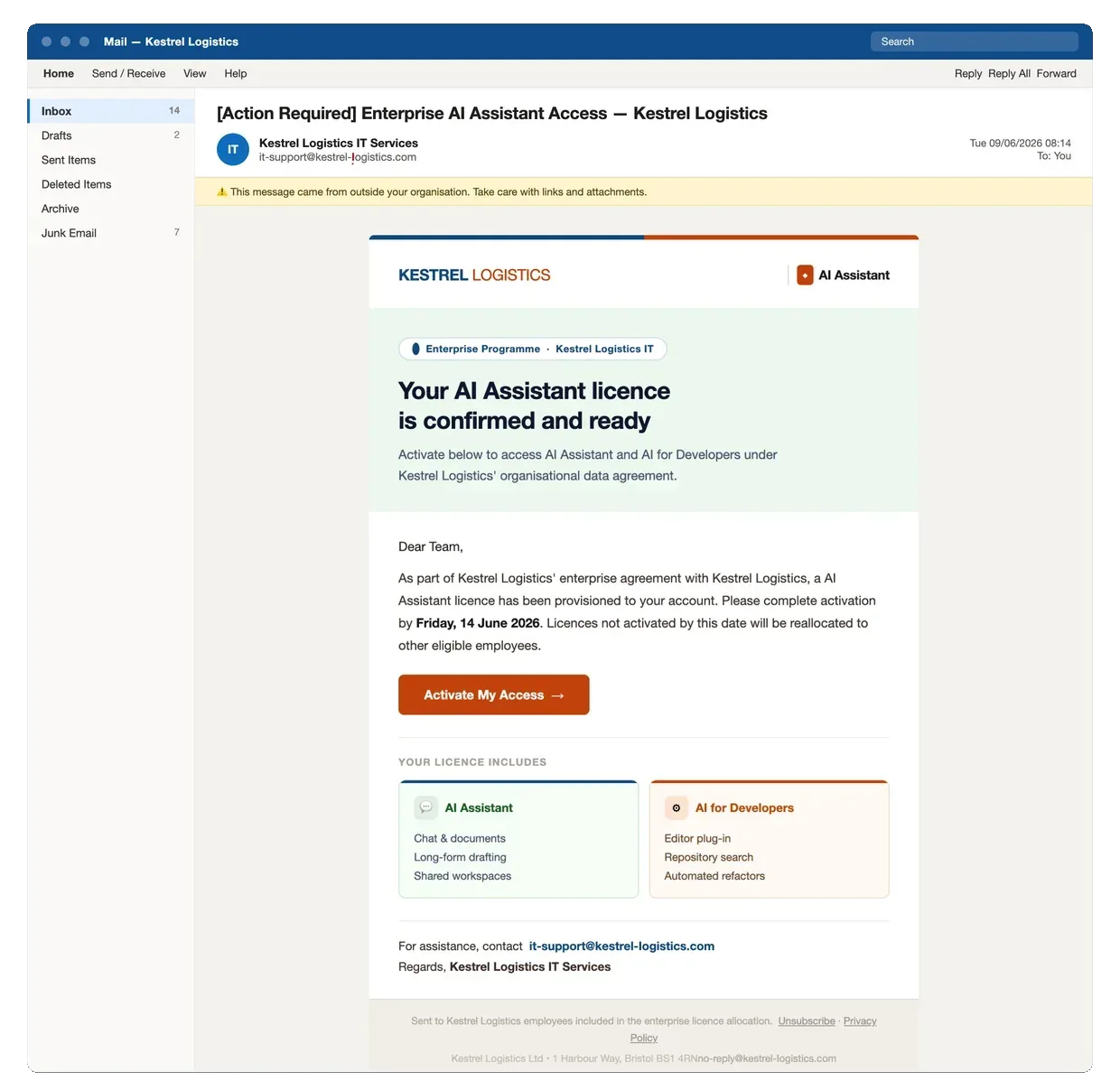
Borrows the urgency of a real programme most companies are genuinely running this year. Note the sender domain in the header.
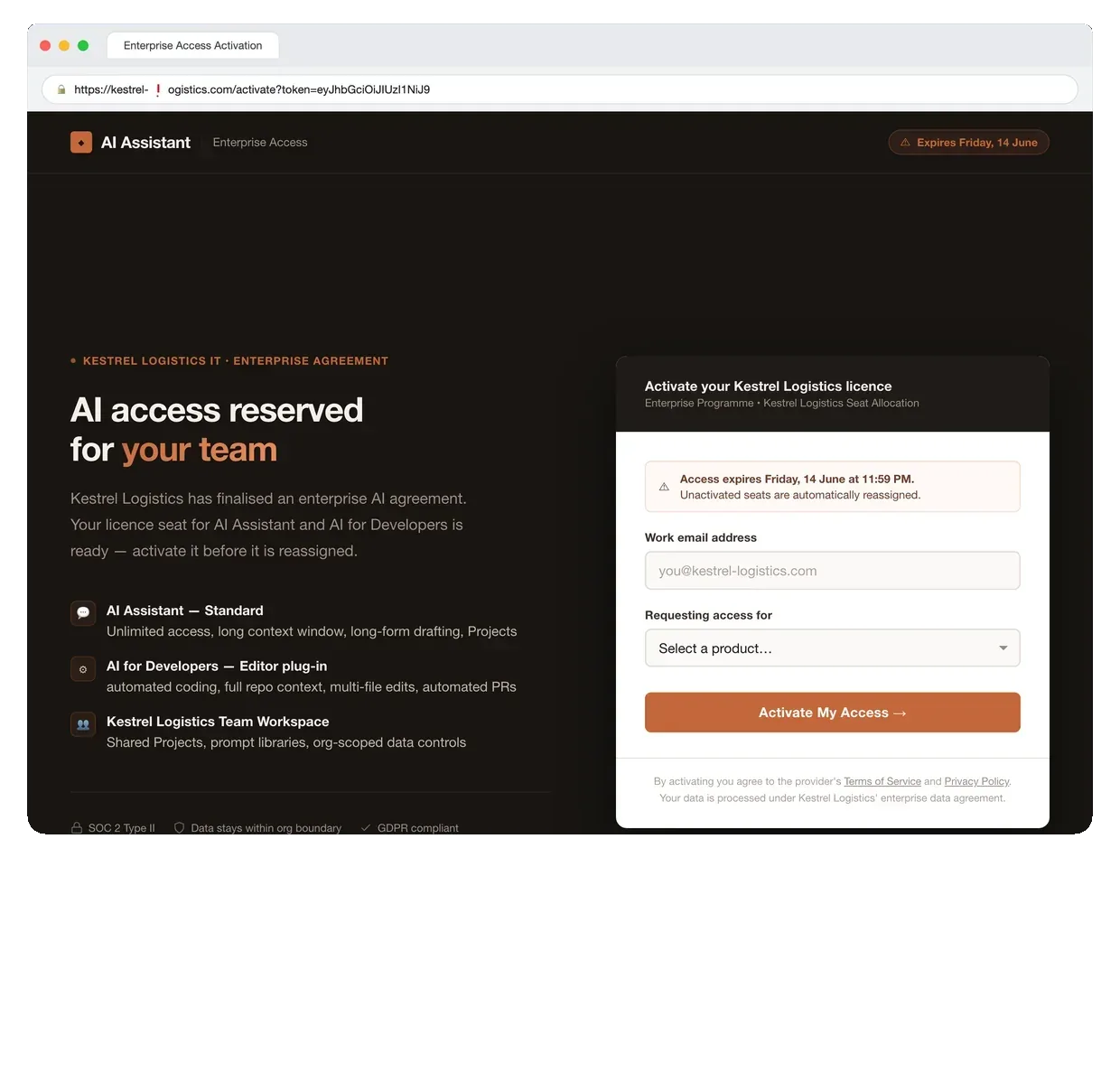
Where the link goes. Built to the standard of a real vendor portal — the lookalike domain in the address bar is the only tell.
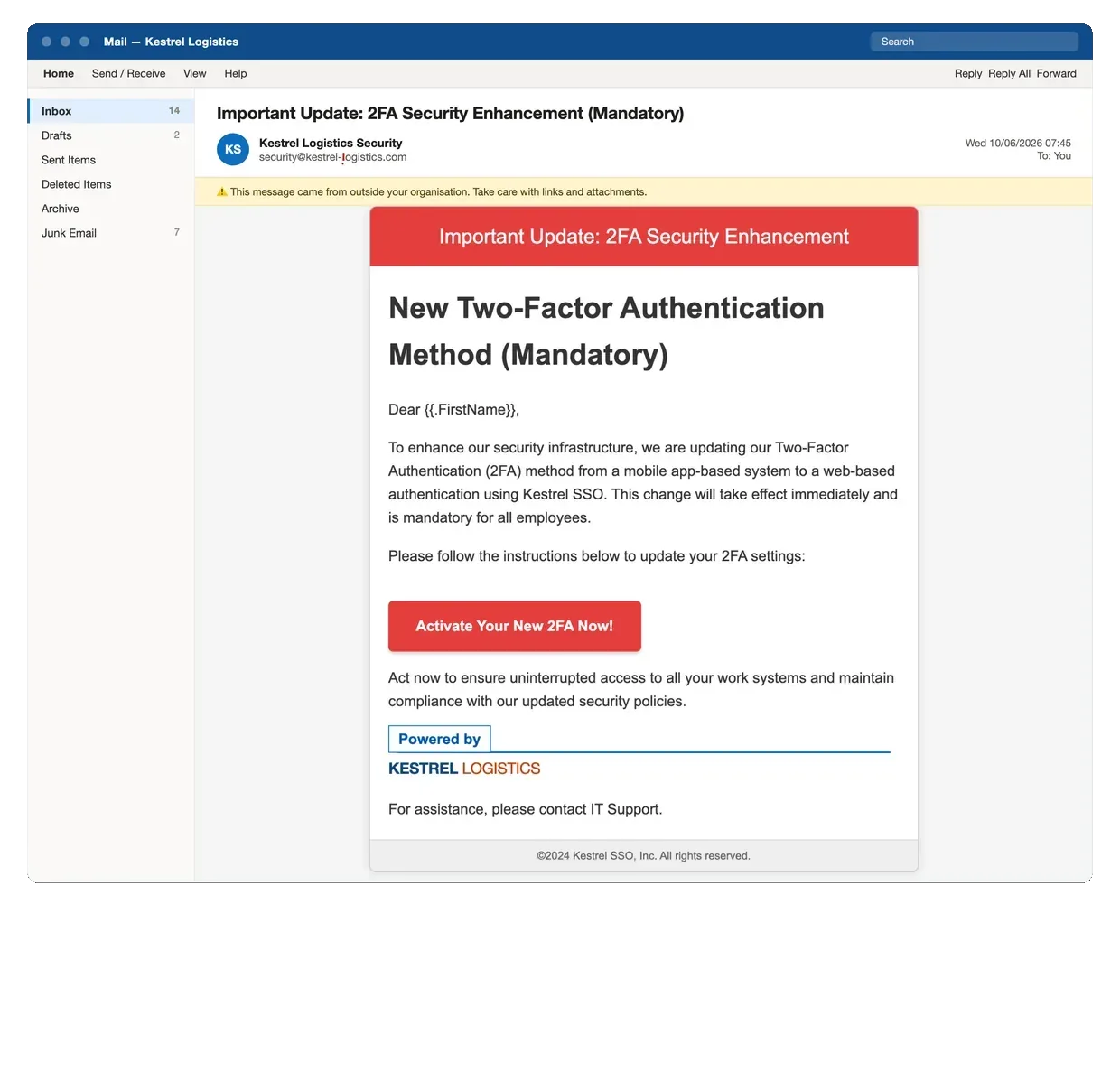
The highest-yield pretext almost everywhere — indistinguishable from a real IT rollout, because it is written like one.
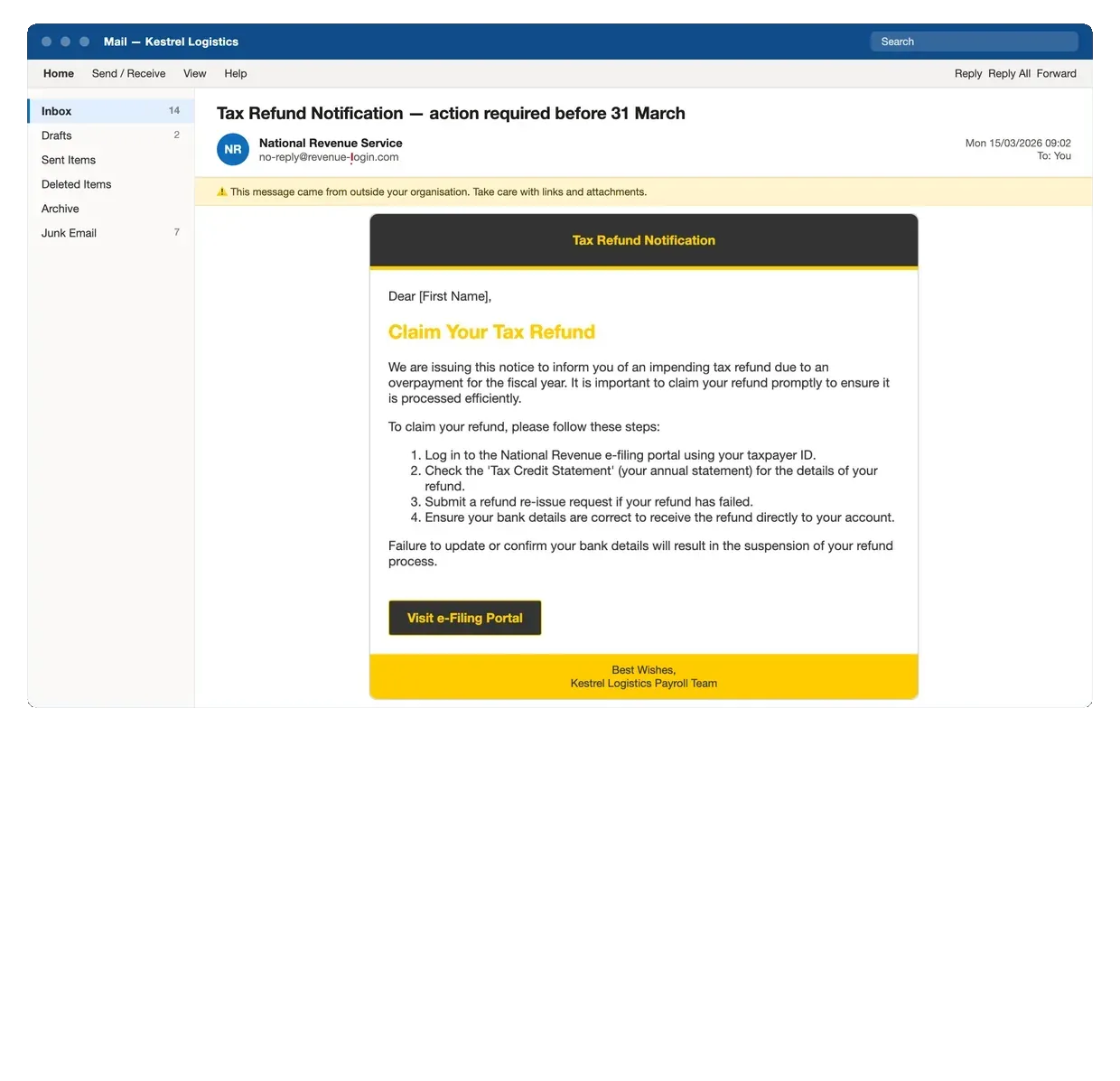
Matched to the correct revenue authority and filing season. Name the wrong jurisdiction and it gets reported in minutes.
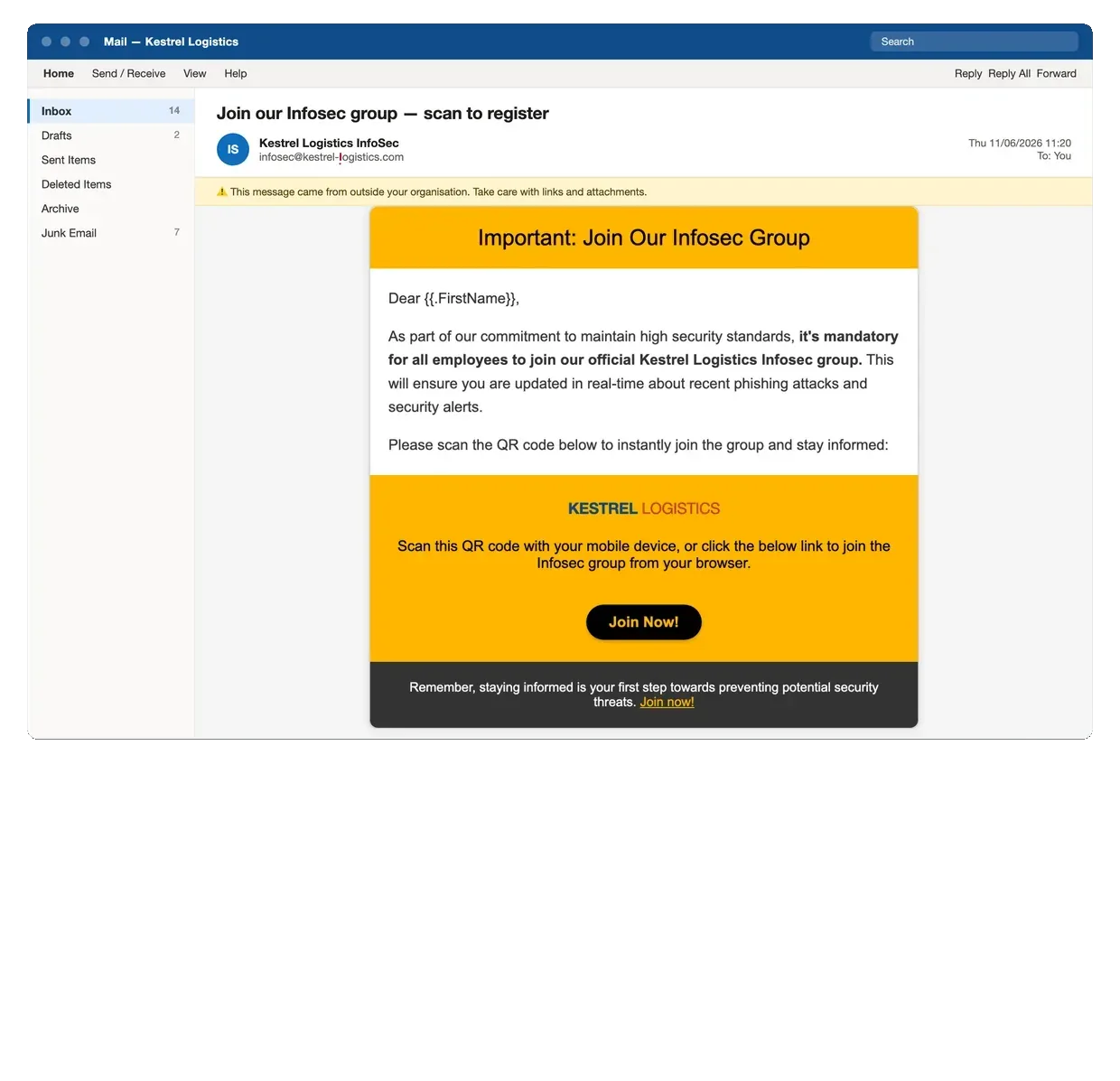
Moves the attack onto a personal phone, where your mail filtering and endpoint controls do not reach.
You will not be picking from a catalogue — your pretexts get designed for your industry, region and calendar. These exist to show the range that design draws on. Every one is re-rendered against a fictional company on an unregistered domain; client templates are never published.
Every pretext is graded easy, moderate or hard, so a campaign can be tuned to your maturity rather than engineered for a headline number. You see the exact emails before anything is sent.


05 · Method
How a campaign runs
Roughly three weeks end to end, most of which is us working quietly in the background. Your time commitment is the first step and the debrief.
Scope & authorise
Target groups, difficulty, exclusions, escalation contact and written authorisation.
Build & localise
Pretexts selected and adapted to your industry, region and calendar. Infrastructure warmed.
Launch the campaign
Staggered send, live monitoring, immediate stop if anything behaves unexpectedly.
Debrief & train
Teachable moment on click, then training built from what this campaign actually showed.
Re-test
A fresh pretext against the same population, so the delta is evidence and not a claim.
The teachable moment does the work
Where a debrief page is used, anyone who clicks lands on it immediately — not a punishment, not a leaderboard, just the specific indicators they walked past while the moment is still fresh. Learning happens in the ten seconds after the mistake, or it does not happen at all. Some organisations would rather stay silent until the campaign closes and cover it in a debrief session afterwards. Both work; it is set at scoping.
Results are per person, because targeted training needs them to be. The report goes to the contact you nominate and includes a department-level summary you can circulate without singling anyone out. What you do with the detail is your policy — but we will say plainly that punitive programmes destroy reporting rates, because staff learn that admitting a click is worse than hiding one.
Most first-time clients pick B, then move to A once the baseline is set.
About nine seconds from inbox to click. What the employee sees after that is your decision, not a default — step 3.
06 · Investment
Price it yourself, before you talk to us
Phishing pricing scales with how many mailboxes are in scope. Move the slider.
Estimate — not a quote. Indicative only and not an offer. Final pricing is confirmed in writing after scoping, and is fixed before you are invoiced.
Should you just buy a phishing tool instead?
Sometimes, genuinely — and we would rather say so here than waste your time on a call. Self-service phishing platforms cost a fraction of this and several are very good. The question is not which is cheaper, it is which one you have the people to operate.
The honest summary: a platform sells you the send. We sell the pretext design, the interpretation, the report and the accountability — the ~20 hours of skilled work that sits either side of it. If you already have those hours in-house, buy the tool.
Why the annual programme costs less per campaign
The first campaign is full price; the next three are half. That is not a volume discount, it is the actual cost curve — scoping, authorisation, infrastructure build and baselining all happen once, and only the pretext, the send and the analysis repeat. It is also where re-testing lives. Each repeat measures the population trained after the last one, so the programme produces a trend line rather than four disconnected snapshots. A single campaign can only ever give you a baseline.
Not in this engagement
Voice and SMS pretexting, physical social engineering and USB drops are quoted separately. Testing the applications behind the login is a different discipline — that is web and API assessment. We will tell you which one you actually need.
The deliverable
What lands in your inbox
The numbers that matter
Delivered, opened, clicked, submitted and — the one most reports omit — reported, with time-to-first-report.
Per person, and by department
Per-recipient results so training can be targeted, plus a department and seniority summary you can circulate more widely.
Control-by-control verdict
Which technical controls fired, which stayed silent, and what a real attacker would have reached.
The re-test delta
Same population, fresh pretext, measured after training. The single slide your board will actually read.
Want to see the depth before you commit? Request an anonymized sample report →
Questions
Before you ask
01 Do we need to tell staff in advance?
02 Do you ever see or store our passwords?
03 We already have MFA. Do we still need this?
04 How long does a campaign take, and what do you need from us?
05 Can you run pretexts for our region and language?
06 What happens to our data and your infrastructure afterwards?
Not on the list? info@vanshield.io
Find out what a click actually costs you.
Tell us roughly how many mailboxes are in scope. You will get a fixed price and a proposed pretext plan back — usually within 24 hours.
Got it — we will come back within 24 hours.
If it is urgent, reach us directly at info@vanshield.io.